
100% Free YouTube Keyword Tool — Find Trending Keywords in Seconds
Discover viral YouTube keywords instantly with YT Pro Tools. Our free AI-powered keyword generator helps you automate research, save hours, and grow your channel faster.

Youtube Video info
Extract detailed information about any YouTube video including title, description, views, likes, duration, and more.

YouTube Tag Extractor
Extract all tags from any YouTube video to analyze competitors and improve your SEO.

YouTube Tag Generator
Generate SEO-optimized tags for your YouTube videos using AI or rule-based algorithms.

VideoTitle Generator
Extract detailed information about any YouTube video including title, description, views, likes, duration, and more.

YouTube Money Calculator
Calculate potential YouTube earnings based on views and RPM.

YouTube Hashtag Generator
Generate relevant hashtags for your YouTube videos based on topic.

Youtube Hashtags Extractor
Extract all hashtags from any YouTube video to analyze competitors and improve your SEO.

YouTube Description Generator
Generate compelling descriptions for your YouTube videos with SEO optimization.

YouTube Channel Analytics
Get comprehensive analytics and insights for any YouTube channel. Analyze subscriber counts, engagement rates, recent videos, and more.
Youtube Region Checker
Extract all hashtags from any YouTube video to analyze competitors and improve your SEO.

YouTube Niche
Analyzer
Analyze a YouTube channel's niche, content category, and audience demographics.

YouTube Embed Code Generator
Generate customizable embed codes for YouTube videos with various options.

AdSense Revenue Calculator
Calculate potential AdSense earnings based on your website traffic.

Keyword Density Analyzer
Analyze keyword density in your text for better SEO optimization.

Meta Tags Analyzer
Analyze meta tags from any website URL for SEO optimization.
1. YouTube Video Info Extractor
Introduction to Our YouTube Video Info Extractor
Video information is the foundation of content analysis and competitive research. Content creators need detailed insights about any YouTube video to understand what works, analyze trends, and improve their own content strategy. With our YouTube Video Info Extractor, you can instantly access comprehensive data about any video on the platform.
What is YouTube Video Information?
YouTube video information encompasses all the metadata and performance metrics associated with a video. This includes the title, description, view count, like count, comment count, upload date, duration, and channel details. This data helps creators understand how videos perform and what makes content successful.
Why is YouTube Video Information Important?
Understanding video information is crucial for several reasons. It helps you analyze competitor strategies, identify trending content patterns, understand audience engagement levels, and make data-driven decisions for your own content. Video metadata directly impacts discoverability and viewer engagement on the platform.
Why Should We Use a YouTube Video Info Extractor?
A YouTube Video Info Extractor saves you countless hours of manual research. Instead of clicking through multiple videos and taking notes, you can instantly extract all relevant information in seconds. This tool is invaluable for content creators, marketers, and researchers who need to analyze multiple videos quickly and efficiently.
Many tools in the market claim to offer video extraction features, but finding one that’s accurate, fast, and free can be challenging. That’s where our tool stands out – delivering precise results without any cost.
Note: Check out our YouTube Tag Generator to optimize your video tags.
How to Extract YouTube Video Information Properly?
Extracting video information manually can be time-consuming and prone to errors. You’d need to open each video, note down statistics, and organize the data yourself. Our automated tool eliminates this hassle entirely.
The traditional manual process involves:
- Opening each video individually
- Recording the title and description
- Noting down view counts and engagement metrics
- Tracking upload dates and durations
- Organizing all this data in spreadsheets
How to Use Our YouTube Video Info Extractor Tool?
Our YouTube Video Info Extractor is designed with simplicity in mind. To maximize your research efficiency, follow these steps:
- Visit our YouTube Video Info Extractor page
- Copy the URL of any YouTube video you want to analyze
- Paste the URL into the text box provided
- Click the “Extract Information” button
- View the complete video details instantly
- Copy or download the information as needed for your research
What Are the Benefits of YouTube Video Info Extractor?
- Instant Data Access: Get all video information in seconds
- Comprehensive Insights: View title, description, views, likes, duration, and more
- Competitor Analysis: Understand what makes successful videos work
- Time-Saving: Eliminate manual research and data collection
- Free to Use: No subscription or payment required
- Accurate Results: Get reliable, up-to-date information every time
How Much Video Information Can I Extract?
You can extract information from unlimited YouTube videos using our tool. There’s no restriction on the number of videos you can analyze. Whether you’re researching one video or analyzing hundreds for a comprehensive market study, our tool handles it all efficiently.
Conclusion:
Video information extraction is essential for modern YouTube creators and marketers. While there are various tools available, many come with limitations or require payment. That’s why we created our YouTube Video Info Extractor – a completely free tool designed specifically for quick and accurate video data extraction. Try it today and streamline your YouTube research process.
Our related tools you might find useful:
2. YouTube Tag Extractor
Introduction to Our YouTube Tag Extractor
Tags are hidden goldmines of SEO strategy that successful YouTube creators use to rank their videos. Understanding what tags competitors use can revolutionize your content strategy and help you discover the exact keywords that drive views and engagement. Our YouTube Tag Extractor reveals these hidden tags instantly, giving you the competitive advantage you need.
What are YouTube Tags?
YouTube tags, also known as video tags, are keywords and phrases that creators add to their videos to help YouTube’s algorithm understand the content. Unlike titles and descriptions, tags are not visible to viewers but play a crucial role in how YouTube categorizes and recommends videos to potential audiences.
Why Are YouTube Tags Important?
Tags serve as important signals to YouTube’s algorithm about your video’s content, topic, and category. They help YouTube connect your video with similar content and surface it in relevant search results and suggested video feeds. Proper tags can significantly increase your video’s discoverability and reach new audiences who are interested in your content niche.
Why Should We Use a YouTube Tag Extractor?
A YouTube Tag Extractor allows you to see the exact tags that successful videos in your niche are using. This competitive intelligence is invaluable because it shows you what’s actually working, not just what theoretically should work. By analyzing top-performing videos, you can identify tag patterns, discover new keyword opportunities, and optimize your own tagging strategy.
Without a tag extractor, these tags remain completely hidden. You’d be creating content in the dark, guessing at what keywords to use instead of leveraging proven strategies.
Note: Combine this with our YouTube Tag Generator to create optimized tags for your own videos.
How to View Tags on YouTube Videos?
YouTube doesn’t display video tags publicly on the platform interface. Previously, you could view tags by checking the page source code, but even that has become more complicated. The only reliable way to see tags is by using a dedicated tag extraction tool.
The process of manually finding tags involves:
- Right-clicking and viewing page source
- Searching through thousands of lines of code
- Finding the keywords section
- Copying and organizing the tags manually
This process is tedious, time-consuming, and impractical if you want to analyze multiple videos.
How to Use Our YouTube Tag Extractor Tool?
Our YouTube Tag Extractor makes the process simple and instant. Here’s how to use it effectively:
- Go to our YouTube Tag Extractor tool page
- Copy the URL of the YouTube video whose tags you want to extract
- Paste the URL into the input field
- Click the “Extract Tags” button
- View the complete list of tags used in the video
- Copy individual tags or download the entire tag list
- Analyze the tags and incorporate relevant ones into your strategy
What Are the Benefits of YouTube Tag Extractor?
- Competitive Intelligence: See exactly what tags successful videos use
- Save Research Time: Extract tags in seconds instead of hours
- Discover New Keywords: Find tag variations you hadn’t considered
- Improve Your SEO: Use proven tags that already rank well
- Analyze Trends: Identify common tags across top-performing videos
- Completely Free: No payment or subscription required
- Unlimited Extractions: Analyze as many videos as you need
How Many Tags Should I Analyze?
For comprehensive competitor research, analyze tags from at least 10-20 top-performing videos in your niche. Look for common patterns and frequently used tags across multiple successful videos. These patterns reveal the keywords that consistently drive results in your content category.
Conclusion:
YouTube tag extraction is essential for any creator serious about growing their channel. While tags are hidden from public view, they remain a crucial ranking factor. Our YouTube Tag Extractor gives you free, instant access to this valuable competitive data. Stop guessing at tags and start using strategies proven to work in your niche.
Explore our related tools:
3. YouTube Video Title Generator
Introduction to Our YouTube Video Title Generator
Your video title is the first thing potential viewers see, and it’s often the deciding factor between a click and a scroll past. A compelling, SEO-optimized title can dramatically increase your views, while a weak title can doom even the best content to obscurity. Our YouTube Video Title Generator helps you create attention-grabbing, algorithm-friendly titles that drive clicks and views.
What is a YouTube Video Title?
A YouTube video title is the main heading displayed above your video that summarizes the content and entices viewers to watch. It’s limited to 100 characters, though only the first 60-70 characters typically display in search results. An effective title balances SEO keywords with emotional appeal and curiosity to maximize both search ranking and click-through rates.
Why Are YouTube Video Titles Important?
Video titles serve multiple critical functions. They tell YouTube’s algorithm what your video is about, helping it appear in relevant searches. They also convince human viewers to click on your video instead of the dozens of other options. A strong title can increase your click-through rate by 50% or more, directly impacting your video’s success and channel growth.
Why Should We Use a YouTube Video Title Generator?
Creating the perfect title requires balancing multiple factors: keyword optimization, emotional appeal, length constraints, and audience psychology. A title generator uses proven formulas and AI analysis to create titles that work. Instead of spending 30 minutes brainstorming titles for each video, you can generate multiple optimized options in seconds and choose the best one.
Many creators struggle with titles because they’re too close to their content. A title generator provides fresh perspectives and applies data-driven principles that consistently generate clicks.
Note: Pair your optimized titles with our YouTube Description Generator for complete video SEO.
How to Create Effective YouTube Video Titles?
Creating effective titles manually requires understanding several principles:
Key elements of successful titles include:
- Front-loaded keywords for SEO
- Numbers and lists (when relevant)
- Power words that trigger emotion
- Clear value proposition
- Curiosity gaps that make people want to click
- Appropriate length (50-60 characters is ideal)
- Accurate representation of content (no clickbait)
Balancing all these elements for every video is challenging and time-consuming.
How to Use Our YouTube Video Title Generator Tool?
Our YouTube Video Title Generator streamlines the title creation process. Here’s how to get the best results:
- Visit our YouTube Video Title Generator page
- Enter your video topic or main keyword
- Optionally, add additional context about your video content
- Click the “Generate Titles” button
- Review multiple title options generated by our AI
- Select the title that best fits your video and audience
- Optionally, modify the selected title to add your personal touch
- Copy and paste into your YouTube video settings
What Are the Benefits of YouTube Video Title Generator?
- SEO-Optimized: Titles include relevant keywords for better ranking
- Increase Click-Through Rate: Proven formulas that drive clicks
- Save Time: Generate multiple options in seconds
- Overcome Writer’s Block: Get fresh ideas when you’re stuck
- Multiple Options: Choose from various title styles
- Data-Driven: Based on analysis of successful videos
- Free and Unlimited: Create as many titles as you need
How Long Should My YouTube Title Be?
The ideal YouTube title length is 50-60 characters. This ensures your entire title displays in search results and suggested videos without being cut off. YouTube allows up to 100 characters, but only the first 60-70 characters typically show in most placements. Always put your most important keywords and compelling elements at the beginning of your title where they’re guaranteed to be visible.
Conclusion:
Your video title can make or break your content’s success on YouTube. While creating perfect titles manually is possible, it requires significant time and expertise. Our YouTube Video Title Generator provides instant access to optimized, click-worthy titles that help your videos stand out and attract more viewers. Create better titles in less time and watch your channel grow.
Related tools to enhance your content:
4. YouTube Hashtags Extractor
Introduction to Our YouTube Hashtags Extractor
Hashtags have become an essential part of YouTube’s discovery system, helping viewers find content they’re interested in and helping creators reach new audiences. Understanding which hashtags successful videos use can significantly improve your content’s visibility. Our YouTube Hashtags Extractor reveals the hashtag strategies of top-performing videos, giving you actionable insights to grow your channel.
What are YouTube Hashtags?
YouTube hashtags are clickable keywords preceded by the # symbol that appear in video titles and descriptions. When viewers click a hashtag, they see other videos using the same tag. YouTube displays the first three hashtags from your description above your video title, making them prominently visible. Hashtags help categorize your content and connect it with relevant audiences.
Why Are YouTube Hashtags Important?
Hashtags serve as powerful discovery tools on YouTube. They help your videos appear in hashtag search results and connect your content with specific topics and trends. When used strategically, hashtags can expose your videos to new audiences who are actively searching for content like yours. They also provide context to YouTube’s algorithm about your video’s topic and category.
Why Should We Use a YouTube Hashtags Extractor?
A hashtags extractor lets you analyze which hashtags successful videos in your niche are using. This competitive intelligence reveals what’s actually working, not just what seems like it should work. By studying top-performing videos, you can identify trending hashtags, discover niche-specific tags, and avoid wasting time on hashtags that don’t generate results.
Without an extractor tool, you’d need to manually scroll through descriptions and copy hashtags one by one – an inefficient process when analyzing multiple videos.
Note: Use our YouTube Tag Extractor to get complete metadata from any video.
How to Find Hashtags on YouTube Videos?
Manually finding hashtags requires viewing each video and scrolling through the description to locate all hashtags used. This process becomes tedious when researching multiple videos:
- Open each video individually
- Click “Show more” to expand the full description
- Manually identify and copy each hashtag
- Record them in a spreadsheet or document
- Repeat for every video you want to analyze
This manual approach is time-consuming and prone to missing hashtags, especially in longer descriptions.
How to Use Our YouTube Hashtags Extractor Tool?
Our YouTube Hashtags Extractor automates the entire process. Follow these simple steps:
- Navigate to our YouTube Hashtags Extractor tool
- Copy the URL of any YouTube video you want to analyze
- Paste the URL into the input box
- Click the “Extract Hashtags” button
- View the complete list of hashtags used in the video
- Copy individual hashtags or download the entire list
- Analyze patterns across multiple videos to identify winning strategies
- Implement relevant hashtags in your own content
What Are the Benefits of YouTube Hashtags Extractor?
- Instant Extraction: Get all hashtags in seconds
- Competitive Analysis: See what hashtags drive success in your niche
- Discover Trends: Identify emerging hashtags before they peak
- Save Research Time: Analyze dozens of videos quickly
- Find Niche Hashtags: Discover specific tags for your content category
- Completely Free: No cost or subscription required
- Unlimited Use: Extract hashtags from as many videos as needed
How Many Hashtags Should I Use on YouTube?
YouTube allows up to 15 hashtags per video, but using all 15 isn’t always the best strategy. The platform displays only the first three hashtags from your description above your video title, so these should be your most important ones. Most successful creators use 5-8 highly relevant hashtags rather than stuffing videos with marginally related tags. Focus on quality over quantity – each hashtag should be genuinely relevant to your content.
Conclusion:
YouTube hashtags are powerful tools for increasing your content’s discoverability, but knowing which hashtags to use can be challenging. Our YouTube Hashtags Extractor gives you free, instant access to the hashtag strategies of successful videos in your niche. Stop guessing and start using proven hashtags that help you reach more viewers and grow your channel faster.
Explore more tools for YouTube success:
5. YouTube Description Generator
Introduction to Our YouTube Description Generator
Your video description is prime real estate for SEO, viewer engagement, and channel growth. A well-crafted description helps YouTube understand your content, improves search rankings, and provides valuable information to viewers. However, writing compelling, optimized descriptions for every video can be time-consuming. Our YouTube Description Generator creates professional, SEO-friendly descriptions in seconds, helping you maintain consistent quality across all your content.
What is a YouTube Video Description?
A YouTube video description is the text that appears below your video, providing additional context about your content. It can be up to 5,000 characters long, though viewers must click “Show more” to see beyond the first 2-3 lines. Descriptions can include keywords, timestamps, links, social media handles, and calls-to-action. They’re crucial for both SEO and viewer experience.
Why Are YouTube Descriptions Important?
Video descriptions serve multiple vital functions. They help YouTube’s algorithm understand and categorize your content, improving search rankings. They provide viewers with additional context, resources, and links. Descriptions also offer opportunities for strategic keyword placement, channel cross-promotion, and affiliate marketing. A strong description can increase engagement, drive traffic to your website, and improve overall channel performance.
Why Should We Use a YouTube Description Generator?
Writing unique, optimized descriptions for every video requires significant time and effort. A description generator uses proven templates and SEO best practices to create compelling descriptions instantly. This consistency ensures every video gets a quality description, even when you’re rushing to upload or managing multiple channels. The generator also helps you avoid common mistakes like keyword stuffing or missing important elements.
Many creators either copy-paste generic descriptions or skip optimization entirely due to time constraints. A generator solves both problems efficiently.
Note: Combine with our YouTube Video Title Generator for complete video optimization.
How to Write Effective YouTube Descriptions?
Writing effective descriptions manually requires following several best practices:
Key components of optimized descriptions:
- Front-loaded keywords in the first 2-3 lines
- Clear explanation of video content and value
- Relevant timestamps for longer videos
- Links to related content, social media, and website
- Appropriate hashtags (3-5 recommended)
- Call-to-action (subscribe, comment, visit website)
- Consistent formatting and branding
- Natural keyword integration without stuffing
Implementing all these elements consistently across your content library is challenging without a systematic approach.
How to Use Our YouTube Description Generator Tool?
Our YouTube Description Generator makes creating professional descriptions effortless. Here’s how to use it:
- Go to our YouTube Description Generator page
- Enter your video topic or main keyword
- Provide key points or details about your video content
- Add any specific links, social media handles, or CTAs you want included
- Click the “Generate Description” button
- Review the AI-generated description
- Make any personal adjustments or additions as needed
- Copy the description and paste it into your YouTube video settings
What Are the Benefits of YouTube Description Generator?
- SEO-Optimized: Automatic keyword integration for better rankings
- Save Time: Generate descriptions in seconds instead of minutes
- Professional Quality: Consistent, well-formatted descriptions every time
- Multiple Sections: Includes all important elements automatically
- Customizable: Edit generated content to match your style
- Avoid Mistakes: Never forget important elements or links
- Increase Engagement: Compelling descriptions that drive action
- Completely Free: No subscription or payment required
How Long Should My YouTube Description Be?
While YouTube allows up to 5,000 characters, effective descriptions typically range from 150-300 words. The most important information should appear in the first 2-3 lines (about 100-150 characters) since this is what viewers see before clicking “Show more.” Include your primary keywords and value proposition early. Use the remaining space for timestamps, links, detailed explanations, and SEO keywords. Longer descriptions provide more opportunity for keyword optimization, but prioritize quality and readability over length.
Conclusion:
YouTube descriptions are essential for SEO and viewer engagement, but creating optimized descriptions for every video is time-intensive. Our YouTube Description Generator provides instant access to professional, SEO-friendly descriptions that help your videos rank better and perform stronger. Maintain consistency, save time, and ensure every video gets the optimization it deserves.
Enhance your YouTube strategy with these tools:
6. YouTube Channel Analytics
Introduction to Our YouTube Channel Analytics Tool
Understanding channel performance is essential for growth on YouTube. Whether you’re analyzing your own channel or researching competitors, comprehensive analytics provide the insights needed to make informed decisions. Our YouTube Channel Analytics tool gives you instant access to detailed metrics and performance data for any channel, helping you identify opportunities, benchmark success, and optimize your content strategy.
What are YouTube Channel Analytics?
YouTube Channel Analytics encompass all the performance metrics and data associated with a channel. This includes subscriber count, total views, video count, average views per video, engagement rates, upload frequency, recent video performance, and growth trends. These metrics reveal how well a channel is performing and what strategies are driving results.
Why Are YouTube Channel Analytics Important?
Analytics transform guesswork into strategy. They show you what’s working, what isn’t, and where opportunities exist. For your own channel, analytics guide content decisions and help track progress. For competitor channels, analytics reveal successful strategies you can adapt for your niche. Understanding these metrics is the difference between creating content randomly and building a data-driven growth strategy.
Why Should We Use a YouTube Channel Analytics Tool?
YouTube Studio provides analytics for your own channel, but analyzing competitor channels requires a third-party tool. Our YouTube Channel Analytics tool lets you research any public channel instantly, without requiring channel ownership or special access. This competitive intelligence is invaluable for understanding your niche, identifying successful content patterns, and discovering opportunities others might be missing.
Manual competitive research is extremely time-consuming and often incomplete. An analytics tool provides comprehensive data in seconds.
Note: Use our YouTube Niche Analyzer to understand channel categories and target audiences.
How to Analyze YouTube Channels Effectively?
Manually analyzing channels requires visiting each one and recording metrics individually:
- Visit the channel page
- Note the subscriber count and total views
- Count the number of videos
- Calculate average views per video manually
- Check recent video performance
- Track upload frequency patterns
- Compare data across multiple channels
- Organize everything in spreadsheets
This process is tedious, especially when analyzing multiple competitors or tracking changes over time.
How to Use Our YouTube Channel Analytics Tool?
Our YouTube Channel Analytics tool simplifies the entire process. Here’s how to get comprehensive insights:
- Navigate to our YouTube Channel Analytics page
- Copy the URL of any YouTube channel you want to analyze
- Paste the channel URL into the input field
- Click the “Analyze Channel” button
- View comprehensive analytics including:
- Subscriber count and growth
- Total video count and views
- Average views per video
- Engagement metrics
- Recent video performance
- Upload frequency
- Compare metrics across multiple channels for competitive analysis
- Export data for further analysis or reporting
What Are the Benefits of YouTube Channel Analytics?
- Comprehensive Insights: Get all key metrics in one place
- Competitive Intelligence: Analyze any public channel instantly
- Identify Success Patterns: See what content types perform best
- Track Growth Trends: Monitor channel performance over time
- Benchmark Performance: Compare your channel against competitors
- Free Access: Analyze unlimited channels at no cost
- Save Research Time: Get hours of research in seconds
- Data-Driven Decisions: Make informed strategy choices
What Metrics Should I Focus On?
The most important channel metrics depend on your goals, but key indicators include:
- Subscriber Growth Rate: Shows momentum and channel health
- Average Views Per Video: Indicates content quality and audience loyalty
- Engagement Rate: Measures likes, comments relative to views
- Upload Frequency: Reveals consistency and content strategy
- View-to-Subscriber Ratio: Shows how well content reaches beyond subscribers
- Recent Video Performance: Indicates current channel trajectory
Focus on trends over time rather than single snapshots. Consistent growth and engagement matter more than absolute numbers.
Conclusion:
YouTube Channel Analytics are essential for anyone serious about growing on the platform. Whether analyzing your own performance or researching competitors, data-driven insights lead to better decisions and faster growth. Our YouTube Channel Analytics tool provides free, instant access to comprehensive channel data, helping you understand what works and optimize your strategy accordingly.
Discover more powerful tools:
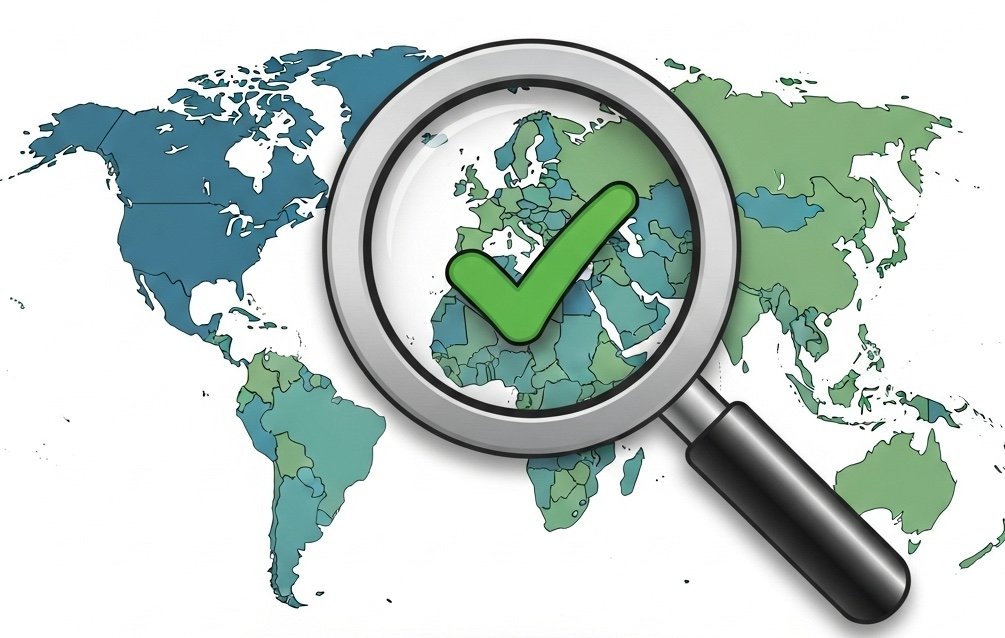
7. YouTube Region Checker
Introduction to Our YouTube Region Checker
YouTube video availability varies dramatically across different countries due to copyright restrictions, content policies, and regional licensing agreements. A video available in one country might be completely blocked in another, limiting your potential audience. Our YouTube Region Checker instantly shows you where your videos are available worldwide, helping you understand your true reach and identify restriction issues that might be limiting your growth.
What is YouTube Region Restriction?
YouTube region restriction is when a video is unavailable in certain countries or geographic regions. This typically happens due to copyright claims, music licensing restrictions, content policy violations, or deliberate geo-blocking by the uploader. When a video is region-restricted, viewers in those locations see a message saying the video is unavailable in their country.
Why is YouTube Region Availability Important?
Region restrictions directly impact your potential audience size and revenue. If your video is blocked in major markets like the United States, India, or European countries, you’re missing significant viewership and ad revenue. Understanding where your content is available helps you identify and resolve restriction issues, choose appropriate music and content, and maximize your global reach.
Why Should We Use a YouTube Region Checker?
YouTube doesn’t provide an easy way to check your video’s availability across all countries. You’d need to use VPNs or have viewers in different countries manually check for you. A Region Checker automates this process, instantly showing you the global availability status of any video. This is crucial for troubleshooting restricted videos, choosing copyright-safe content, and ensuring your videos reach your full target audience.
Many creators discover too late that their videos are blocked in key markets, losing valuable views and revenue unnecessarily.
Note: Check our YouTube Channel Analytics to see overall channel performance.
How to Check YouTube Video Availability Manually?
Manually checking video availability across regions is extremely impractical:
- Install and configure VPN software
- Connect to servers in different countries
- Open your video in each location
- Record whether it plays or shows restrictions
- Repeat for dozens of countries
- Compile and organize the data
This process would take hours and require paid VPN subscriptions to access servers in multiple countries.
How to Use Our YouTube Region Checker Tool?
Our YouTube Region Checker makes the process instant and effortless. Here’s how to use it:
- Visit our YouTube Region Checker page
- Copy the URL of the video you want to check
- Paste the URL into the input field
- Click the “Check Regions” button
- View the comprehensive availability report showing:
- Countries where the video is available
- Countries where the video is blocked
- Reason for restrictions (if identifiable)
- Total percentage of global availability
- Identify problematic restrictions
- Take action to resolve issues if needed
What Are the Benefits of YouTube Region Checker?
- Global Visibility: See exactly where your videos are available
- Identify Problems: Discover restriction issues immediately
- Maximize Reach: Ensure content reaches all intended markets
- Copyright Awareness: Understand which content elements cause blocks
- Save Time: Check all regions in seconds instead of hours
- Protect Revenue: Avoid losing views in major markets
- Competitor Research: Check availability of competitor videos
- Completely Free: Unlimited checks at no cost
What Should I Do If My Video is Restricted?
If you discover your video is restricted in important regions, take these steps:
- Check for Copyright Claims: Go to YouTube Studio and review any claims
- Replace Restricted Content: Remove or replace copyrighted music or video clips
- File Disputes: If you have rights to the content, dispute invalid claims
- Use Royalty-Free Content: Switch to copyright-safe music and footage
- Contact YouTube Support: For unclear restrictions, seek clarification
- Monitor Future Uploads: Check region availability for new videos before promoting
Understanding restrictions early allows you to fix issues before losing significant viewership.
Conclusion:
YouTube region restrictions can significantly limit your channel’s growth and revenue without you even realizing it. Our YouTube Region Checker provides instant visibility into your video’s global availability, helping you identify and resolve restriction issues before they cost you views. Ensure your content reaches your full target audience and maximize your channel’s potential.
Optimize your YouTube presence with:
8. YouTube Niche Analyzer
Introduction to Our YouTube Niche Analyzer
Choosing the right niche is one of the most critical decisions for YouTube success. Understanding a channel’s niche, target audience, and content category helps you identify opportunities, analyze competition, and refine your own positioning. Our YouTube Niche Analyzer uses advanced analysis to determine any channel’s niche, audience demographics, and content strategy, providing the insights you need to succeed in your chosen category.
What is a YouTube Niche?
A YouTube niche is a specialized segment or category of content that targets a specific audience interest. Examples include tech reviews, fitness coaching, cooking tutorials, gaming commentary, or financial advice. A well-defined niche helps creators build loyal audiences, establish authority, and differentiate themselves from general content creators. Your niche defines what you create, who watches, and how you grow.
Why is YouTube Niche Analysis Important?
Understanding niches is crucial for several reasons. It helps you identify underserved audiences and content opportunities. It reveals what successful channels in your category are doing right. It allows you to position your content effectively and avoid oversaturated markets. Niche analysis also helps you understand audience expectations, content formats that work, and realistic growth potential in your chosen category.
Why Should We Use a YouTube Niche Analyzer?
Manually analyzing a channel’s niche requires watching multiple videos, studying content patterns, reading comments, and making educated guesses about target audiences. This process is subjective, time-consuming, and often inaccurate. A Niche Analyzer uses data-driven analysis to objectively categorize channels, identify audience demographics, and reveal content strategies, providing accurate insights in seconds.
Whether you’re researching your own niche or analyzing competitors, automated analysis is more reliable and efficient than manual observation.
Note: Pair this with our YouTube Channel Analytics for complete competitive intelligence.
How to Analyze YouTube Niches Manually?
Manual niche analysis requires extensive research and observation:
- Watch multiple videos from the channel
- Analyze video titles, tags, and descriptions
- Study the content format and style
- Read comments to understand the audience
- Check the About page for channel description
- Compare with similar channels
- Make subjective judgments about category and audience
- Compile findings into a coherent analysis
This process takes hours per channel and results can vary based on individual interpretation.
How to Use Our YouTube Niche Analyzer Tool?
Our YouTube Niche Analyzer automates the entire analysis process. Here’s how to use it effectively:
- Go to our YouTube Niche Analyzer page
- Copy the URL of any YouTube channel you want to analyze
- Paste the channel URL into the input box
- Click the “Analyze Niche” button
- Review the comprehensive analysis including:
- Primary niche category
- Secondary topics and subcategories
- Target audience demographics
- Content format and style
- Competitive positioning
- Niche saturation level
- Use insights to inform your content strategy
- Compare multiple channels to understand niche landscapes
What Are the Benefits of YouTube Niche Analyzer?
- Accurate Classification: Data-driven niche identification
- Understand Competition: See how channels position themselves
- Discover Opportunities: Find underserved niche segments
- Audience Insights: Learn who watches specific content types
- Validate Ideas: Check if your niche has successful channels
- Save Research Time: Get instant analysis instead of hours of research
- Multiple Channels: Analyze unlimited channels for free
- Strategic Planning: Make informed decisions about your content direction
How Do I Choose the Right Niche for My Channel?
Choosing the right niche requires balancing several factors:
- Your Passion and Knowledge: Create content you genuinely care about
- Audience Demand
How Do I Choose the Right Niche for My Channel?
Choosing the right niche requires balancing several factors:
- Your Passion and Knowledge: Create content you genuinely care about
- Audience Demand: Ensure sufficient search volume and interest
- Competition Level: Avoid extremely saturated markets
- Monetization Potential: Some niches have higher ad rates than others
- Long-Term Sustainability: Choose topics you can create content about consistently
- Unique Angle: Find your differentiating factor within the niche
Use our Niche Analyzer to research successful channels in your potential niches. Look for categories with active audiences but room for new voices. The best niche is at the intersection of your expertise, audience demand, and manageable competition.
Conclusion:
YouTube niche selection and analysis can make or break your channel’s success. Understanding where you fit in the YouTube ecosystem and how competitors position themselves is essential for growth. Our YouTube Niche Analyzer provides free, instant insights into any channel’s niche, audience, and strategy, helping you make informed decisions about your own content direction and competitive positioning.
Enhance your strategy with these tools:
9. YouTube Embed Code Generator
Introduction to Our YouTube Embed Code Generator
Embedding YouTube videos on websites, blogs, and landing pages is essential for content marketing, education, and engagement. However, YouTube’s default embed code offers limited customization options. Our YouTube Embed Code Generator creates fully customizable embed codes with advanced options for size, autoplay, controls, privacy, and more, giving you complete control over how videos appear on your website.
What is a YouTube Embed Code?
A YouTube embed code is an HTML iframe snippet that allows you to display YouTube videos directly on your website or blog. Instead of linking to YouTube and sending visitors away from your site, embedded videos play within your page, keeping users engaged with your content. The embed code defines the video source, player dimensions, and various playback options.
Why is YouTube Video Embedding Important?
Embedding videos enhances user experience and engagement on your website. Videos increase time-on-site metrics, reduce bounce rates, and make content more engaging and shareable. For bloggers, marketers, and educators, embedded videos provide richer content experiences without requiring video hosting infrastructure. Properly embedded videos also maintain your branding and keep visitors on your site rather than redirecting them to YouTube.
Why Should We Use a YouTube Embed Code Generator?
YouTube’s standard embed code provides basic functionality, but customization options are buried in settings and difficult to configure. An Embed Code Generator provides an intuitive interface for customizing player size, enabling/disabling controls, setting autoplay, choosing privacy modes, selecting start times, and more. This ensures your embedded videos match your website design and provide the exact user experience you want.
Without a generator, you’d need to manually edit HTML code and understand iframe parameters – a technical barrier for many users.
Note: Extract video information first with our YouTube Video Info Extractor before embedding.
How to Embed YouTube Videos Manually?
Manually embedding YouTube videos requires several steps:
- Open the video on YouTube
- Click the “Share” button
- Select “Embed”
- Copy the provided iframe code
- Manually edit width and height values
- Add URL parameters for advanced options (autoplay, controls, etc.)
- Test the embed on your website
- Adjust and troubleshoot as needed
For users unfamiliar with HTML and URL parameters, this process is confusing and error-prone.
How to Use Our YouTube Embed Code Generator Tool?
Our YouTube Embed Code Generator simplifies the entire process with an easy-to-use interface:
- Visit our YouTube Embed Code Generator page
- Paste the URL of the YouTube video you want to embed
- Customize your embed options:
- Size: Choose preset dimensions or enter custom width/height
- Autoplay: Enable/disable automatic playback
- Controls: Show or hide player controls
- Loop: Make the video repeat continuously
- Start Time: Begin playback at a specific timestamp
- Privacy-Enhanced Mode: Use youtube-nocookie.com domain
- Related Videos: Control what appears after playback
- Modest Branding: Minimize YouTube branding
- Preview the embed as you customize
- Click “Generate Code”
- Copy the customized embed code
- Paste into your website’s HTML
What Are the Benefits of YouTube Embed Code Generator?
- Easy Customization: No HTML knowledge required
- Visual Preview: See changes in real-time
- Advanced Options: Access all embedding features easily
- Responsive Design: Generate codes that work on all devices
- Privacy Mode: Use privacy-enhanced embedding when needed
- Time-Saving: Create perfect embeds in seconds
- Error-Free: Avoid manual coding mistakes
- Completely Free: Generate unlimited embed codes
What Embed Options Should I Use?
The best embed settings depend on your use case:
For Blog Posts and Articles:
- Autoplay: OFF (prevents annoying auto-playback)
- Controls: ON (let users control playback)
- Modest Branding: ON (minimize YouTube branding)
- Privacy-Enhanced: ON (better for user privacy)
For Landing Pages and Sales Pages:
- Autoplay: Consider ON with muted audio
- Controls: ON but consider hiding when appropriate
- Loop: Consider ON for background videos
- Related Videos: OFF (avoid distracting users)
For Educational Content:
- Controls: ON (enable learning features)
- Start Time: Use to skip intros when relevant
- Modest Branding: Based on preference
- Privacy-Enhanced: ON for student privacy
Always test your embeds across devices to ensure proper display and functionality.
Conclusion:
Embedding YouTube videos enhances your website’s content and keeps visitors engaged, but customization can be technically challenging. Our YouTube Embed Code Generator provides an intuitive, free solution for creating perfectly customized embed codes without any technical expertise. Whether you’re a blogger, marketer, educator, or business owner, create professional video embeds that match your exact requirements.
Complete your YouTube toolkit:
SEO Optimization Notes for All Pages:
For maximum SEO effectiveness, ensure each page includes:
- Meta Title: “[Tool Name] – Free YouTube [Tool Type] | YT Pro Tools”
- Meta Description: Unique 150-160 character description emphasizing “free,” the main benefit, and a call-to-action
- H1 Tag: Main tool name
- H2 Tags: Section headings as structured above
- Internal Links: Minimum 3-5 relevant internal links to other tools
- Image Alt Text: Descriptive alt text for all tool screenshots and icons
- Schema Markup: Add SoftwareApplication schema for each tool
- URL Structure: Clean, keyword-rich URLs (e.g., /youtube-tag-generator/)
- FAQ Section: Consider adding FAQ schema with common questions
- CTA Buttons: Clear calls-to-action to try the tool
Additional Content Recommendations:
- Add user testimonials or success stories where available
- Include statistics about tool usage or results
- Create comparison tables showing your tools vs. competitors
- Add video tutorials for complex tools
- Include a “Related Tools” section at the bottom of each page
- Create a comprehensive “Ultimate Guide” linking all tools together
This content structure follows SEO best practices while maintaining a natural, human-friendly tone that provides genuine value to users. Each page is optimized for both search engines and user experience, with strategic internal linking to improve site-wide SEO performance.